We use cookies to give you a better experience and to improve our site. You can change your preferences anytime in Cookie Settings.

Cookie Policy
Skip to content
ItemGold
GamesProductsListings

Recent searches

HomeGamesTop-UpProductsListings

PlayStation Games

Explore PS4 and PS5 game codes in the PlayStation Games category; make the right choice by checking platform, region, version, and activation details. Discover now!

TRUSTPILOTRate usWrite a reviewChrome extensionPrice FinderAdd to Chrome

Stay in the loop

Velnora Teknoloji

Antalya, Türkiye

Noventra Studios, LLC

Delaware, United States

Markets

DealsProductsGamesListingsSell on ItemGoldHelp Center

Links

AboutContactBlogOrder lookupBadgesReferral programDragon GuaranteeDelivery InfoCorporate Identity

Contracts

User AgreementCommercial Electronic Communication and Marketing ConsentDistance Sales Agreement and Preliminary Information FormCancellation & Refund PolicyPrivacy AgreementCookie Policy

Join us

DiscordInstagramTikTokXFaceBookTwitchYouTubeLinkedin
© 2026 ItemGoldChange My Cookie Preferences
T.C. Ticaret Bakanlığı — ETBİS KayıtlıdırSSL
MastercardVisatroyAmerican Express
  1. Home
  2. ›CD Key
  3. ›PlayStation Games

Products

28 products
Filters
$6.64$149.54
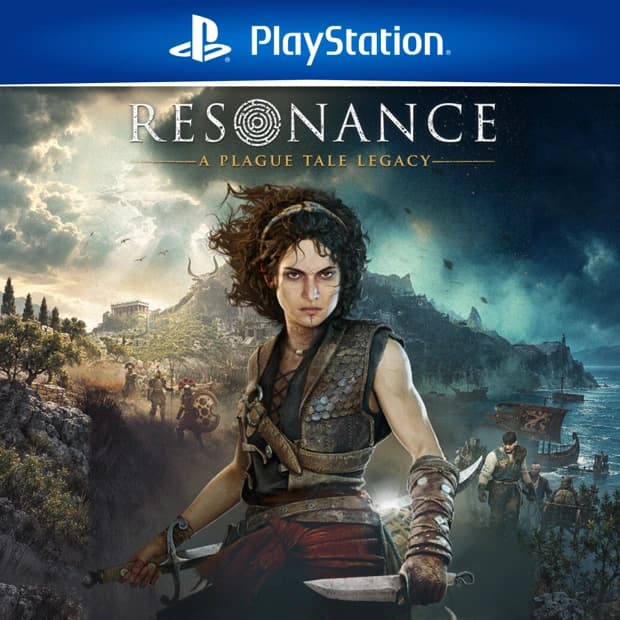
Resonance: A Plague Tale Legacy - PS5

P2S.gg

Resonance: A Plague Tale Legacy - PS5

Price$76.92
Grand Theft Auto VI Ultimate - PS5

P2S.gg

Grand Theft Auto VI Ultimate - PS5

Price$112.36
EA SPORTS FC 27	- PS5

P2S.gg−6%

EA SPORTS FC 27 - PS5

Price$123.51$130.72
‹12

Frequently asked questions

8 questions
What is a PlayStation Games CD Key and what does it provide?
A PlayStation Games CD Key is a code used to add the digital game or game content specified on the product page to your account. Before purchasing, check the Itemgold product page to see which content, edition, and game modes the code includes.
What should I consider when purchasing a PlayStation Games CD Key?
Before purchasing, you should check the game title, edition, included content, account region, and activation requirements. Since the price, stock, and regional usage information may vary by product, review the Itemgold product page for the latest details.
How is a PlayStation Games key activated on PlayStation 5?
To activate it on PlayStation 5, sign in to the store with your account, open the Redeem Codes section, and enter the 12-digit code. Before confirming the transaction, verify that the game or content shown on the screen matches the product you purchased.
How is the game downloaded after activating a PlayStation Games CD Key?
After successful activation, the game or content is added to your account's library and can be downloaded from there. If the content does not appear, check that you are using the correct account, refresh your session, and review your library and transaction history.
Why might a PlayStation Games key code not work?
The code may not work because it was entered incorrectly, has already been used, has expired, or does not match the account region. Check the characters again, and if the issue persists, contact Itemgold support channels with the error message.
Can a PlayStation Games CD Key be used in every account region?
No, the code's region may need to match the region of the account on which it will be activated. If a region lock is not clearly specified, check the game's or platform's official page or the Itemgold product page for current information before purchasing.
How is a PlayStation Games CD Key delivered?
The delivery method and access steps are specified on the relevant Itemgold product page. Since the exact delivery time may vary depending on the product and transaction status, check the latest information before placing your order.
Can the code be reused on another account after purchasing PlayStation Games?
No, activated digital codes can generally be used only once, and the content is linked to the account on which it was activated. Therefore, before confirming the code, make sure that you are signed in to the correct account and that the content shown on the screen matches your order.

Category guide

6 sections

What to Expect in the PlayStation Games Category?


PlayStation Games is a category designed for gamers who want to explore PS4 and PS5 games digitally. Here, you can browse PlayStation games in different genres, compare options suitable for your play style, and evaluate platform, region, version, and activation details more clearly before making a purchase.


The PlayStation ecosystem offers a wide range of games, from story-driven adventures to competitive action, sports games to horror atmospheres, open-world experiences to family-friendly titles. This category serves as a practical starting point to expand your PlayStation library and choose the right digital game code.


Open the rest of the guide · 5 sectionsClose the guide

What Can You Find in This Category?


In the PlayStation Games category, depending on the product range, you may find digital game codes for PS4 and PS5, different version options, additional content, or special packages. Since each product may not have the same platform and activation structure, it is important to read the product details carefully.


  1. PS4 and PS5 focused digital game options
  2. Various version alternatives like Standard, Deluxe, or Ultimate
  3. Games in genres such as story, action, RPG, racing, sports, horror, and adventure
  4. PlayStation products that may include DLC or additional content
  5. Expand your game library with a digital code without waiting for physical shipment


Advantages of PlayStation Digital Game Codes


Choosing PlayStation games in digital code format makes it easier to manage your game library without waiting for physical discs. CD-Key or digital game code is a digital code used to activate the game or content on the relevant platform. The details of which platform, region, and version the code is valid for should be clarified with the information on the product page.


  1. Convenient access: Complete your game selection without dealing with the physical shipment process.
  2. Platform clarity: Check information such as PS4, PS5, or cross-generation support in the product details.
  3. Library-focused usage: By choosing the right product, you can regularly expand your PlayStation game collection.
  4. Version comparison: Evaluate content differences between standard or special editions before making a purchase.


Who Is It Suitable For?


This category is suitable for gamers who want to discover new games on the PlayStation console. Those who enjoy single-player story experiences, those looking to engage in competitive matches with friends, those seeking family-friendly titles, or users who want to add new digital games to their collection can explore different options here.


Additionally, the PlayStation Games category provides an easy decision-making space for gamers who want to compare genre, platform, version, and region information before making a purchase.


What to Check Before Making a Purchase?


Just looking at the name of the game is not enough to make the right choice in PlayStation products. The same game may have options for PS4, PS5, different regions, or different version selections. Therefore, you should always check the information on the product page before making a purchase.


  1. Platform: Check if the product is valid for PS4, PS5, or both platforms.
  2. Region information: Make sure the digital code is valid for the region compatible with your account.
  3. Version: Compare Standard, Deluxe, Ultimate, or different package contents.
  4. Activation method: Read product details on where and how the code will be used.
  5. Content scope: Check the distinction between the main game, DLC, additional package, or bundle products.
  6. Refund and usage notes: Review delivery and usage conditions specific to digital products before making a purchase.


Choosing the Right PlayStation Game


When choosing a game, focus not only on popularity but also on your gaming habits. If you enjoy long stories, narrative-focused titles may be more suitable; if you prefer fast-paced competition, online action or sports games; if you seek a sense of exploration, open-world options may be more appropriate.


While reviewing products in the PlayStation Games category, comparing platform, region, version, and activation details can help you choose the most suitable digital game code for your console and account more securely.