
We use cookies to give you a better experience and to improve our site. You can change your preferences anytime in Cookie Settings.

Cookie Policy
Skip to content
ItemGold
GamesProductsListings

Recent searches

HomeGamesTop-UpProductsListings

Valorant Points Global

Easily discover weapon skins, collection bundles, and battle pass content with Valorant Points Global. Explore compatible VP options on Itemgold.

TRUSTPILOTRate usWrite a reviewChrome extensionPrice FinderAdd to Chrome

Stay in the loop

Velnora Teknoloji

Antalya, Türkiye

Noventra Studios, LLC

Delaware, United States

Markets

DealsProductsGamesListingsSell on ItemGoldHelp Center

Links

AboutContactBlogOrder lookupBadgesReferral programDragon GuaranteeDelivery InfoCorporate Identity

Contracts

User AgreementCommercial Electronic Communication and Marketing ConsentDistance Sales Agreement and Preliminary Information FormCancellation & Refund PolicyPrivacy AgreementCookie Policy

Join us

DiscordInstagramTikTokXFaceBookTwitchYouTubeLinkedin
© 2026 ItemGoldChange My Cookie Preferences
T.C. Ticaret Bakanlığı — ETBİS KayıtlıdırSSL
MastercardVisatroyAmerican Express
  1. Home
  2. ›Games
  3. ›Valorant
  4. ›Valorant Points Global

Products

1 products
Filters
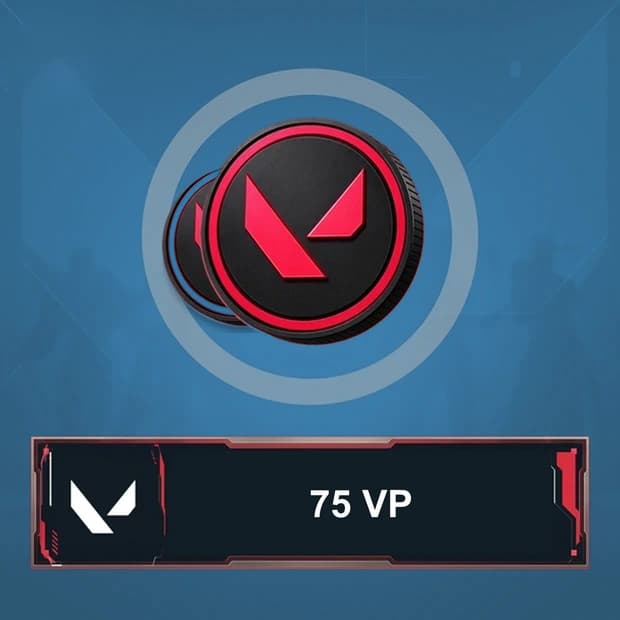
Valorant 75 VP - Global

P2S.gg

Valorant 75 VP - Global

Price$3.09

Valorant Points Global Price List

ProductPriceStock
Valorant 75 VP - Global$3.09In stock

Category guide

5 sections

What Is Valorant Points Global?


Valorant Points Global is a product category for VP, the premium currency in Riot Games' tactical FPS game VALORANT. VP is used to access cosmetic content such as weapon skins, melee skins, collection bundles, and battle passes in the in-game store. This currency does not increase weapon damage, accuracy, or competitive performance; it is used to personalize the appearance of your account and manage your store budget.


You can browse skins with different themes for frequently used weapons such as the Vandal, Phantom, Operator, or Sheriff and complete your collection with profile items such as cards, sprays, and gun buddies. Since store content changes over time, it is important to check the current price of the content you want in the game client before selecting a VP amount.


Open the rest of the guide · 4 sectionsClose the guide

What Can You Buy with VALORANT VP?


The Featured and Offers sections of the VALORANT store include featured bundles and a rotation of personalized offers. The Night Market may also display account-specific discounted cosmetic options during eligible periods. A Valorant Points balance gives players the flexibility to take advantage of current offers or set aside a budget for future collections.


  • Weapon skins: Cosmetic appearances can be purchased for the Vandal, Phantom, Operator, Sheriff, and other weapons.
  • Melee skins: Knives and various other melee models can be added to your collection.
  • Collection bundles: Multiple skins and additional cosmetic items sharing the same theme may be offered in a single bundle.
  • Battle pass: Access to the premium reward track for the current act or season may be unlocked.
  • Player cosmetics: Depending on the store's current structure, content such as cards, sprays, and gun buddies may be obtained.


Upgrades for some skins, such as levels, color variants, animations, sounds, or finishing effects, are unlocked with Radianite Points. Therefore, purchasing a skin with VP does not mean that all upgrades are automatically unlocked. When planning a purchase, both the skin's VP price and any Radianite requirements should be evaluated separately.


How Does Choosing VP Support Your Collection and Gaming Experience?


In VALORANT's competitive environment, outcomes are determined by aim, map knowledge, economy management, ability usage, and team coordination. VP does not add power bonuses to these mechanics. However, it lets you give frequently used weapons a personalized appearance, makes it easier to keep track of seasonal rewards, and enables budget planning for cosmetics available in the store for a limited time.


If you are targeting a single skin, you can check its store price and choose a suitable VP option. If you are considering a collection bundle or battle pass, taking your existing balance into account will help you make a better choice. Since offers and bundle contents are subject to rotation, the product name, VP amount, and terms of use on the category page should be reviewed together.


The Global Label, Region, and Account Compatibility


The Global label in the product name does not by itself guarantee that the code or top-up method will work on every Riot account without restrictions. The Riot account region, payment country, region assigned to the code, and the product's redemption method must be compatible. Before purchasing, check the region, platform, delivery format, and activation information on the product page.


Selecting the wrong region or an incompatible account may prevent the code from being redeemed and affect the refund process. Comparing the conditions stated in the product description with the region information on your Riot account is the safest way to find the right Valorant Points Global option.


Buying Valorant Points Global Through Itemgold


When comparing Valorant Points Global purchase options on Itemgold, check not only the VP amount but also the region where the product is valid and its delivery method. If a digital code, account balance top-up method, or another delivery format is offered, the required steps will be specified on the product page. Verifying the VALORANT client and your Riot account region before the transaction helps prevent unnecessary compatibility issues.


After selecting the VP option that suits your needs, you can review the latest information on the product page and purchase it through Itemgold. If you experience an issue during delivery or redemption, you can contact the Itemgold support team with your order details.