
We use cookies to give you a better experience and to improve our site. You can change your preferences anytime in Cookie Settings.

Cookie Policy
Skip to content
T.C. Ticaret Bakanlığı — ETBİS KayıtlıdırSSL
MastercardVisatroyAmerican Express
ItemGold
GamesProductsListings

Recent searches

HomeGamesTop-UpProductsListings

Blizzard Battlenet

Discover games, expansion packs, and balance codes with Blizzard Battle.net and Battle.net CD Key options. Buy compatible products through Itemgold.

  1. Home
  2. ›CD Key
  3. ›Blizzard Battlenet

Products

1 products
Filters
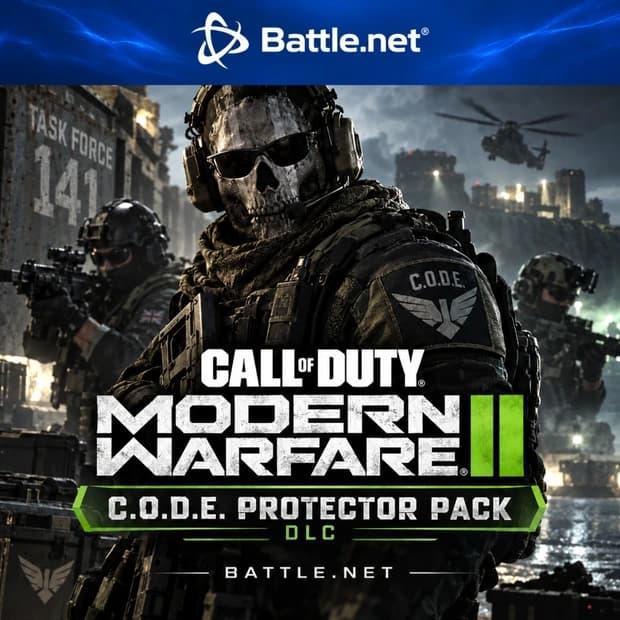
Call of Duty: Modern Warfare II - C.O.D.E. Protector Pack DLC — Battle.net

P2S.gg

Call of Duty: Modern Warfare II - C.O.D.E. Protector Pack DLC — Battle.net

Price$6.51$6.52

Blizzard Battlenet Price List

ProductPriceStock
Call of Duty: Modern Warfare II - C.O.D.E. Protector Pack DLC — Battle.net$6.51In stock

Category guide

8 sections

What Are Blizzard Battle.net and Battle.net CD Keys?


Blizzard Battle.net is a digital gaming platform where games from Blizzard Entertainment and certain supported Activision titles are managed. Through their Battle.net account and desktop application, players can download their games, keep track of updates, communicate with friends, and access content activated on their accounts.


A Blizzard Battle.net CD Key is a code used to activate a specific game, expansion pack, edition, game time, or digital content. The category may also include codes for adding Battle.net Balance. The content offered by each code varies, so the product name, description, region, currency, and activation platform should be reviewed individually before purchase.


Open the rest of the guide · 7 sectionsClose the guide

What Are Battle.net Codes Used For?


The purpose of a Battle.net code depends on the selected product. A game key adds the relevant game license to the account, while an expansion pack code may add new regions, classes, quests, or other additional content to a base game you already own. Balance codes add digital funds to the account for use on eligible purchases in the Battle.net Shop.


  • Game keys: Used to add compatible PC games to a Battle.net account.
  • Expansion packs: May provide additional adventures, classes, regions, or endgame content tied to the base game.
  • Edition upgrades: May provide additional digital benefits based on the content differences between editions such as Standard, Deluxe, or Ultimate.
  • Balance codes: May provide a payment option for supported store products, games, or digital content.
  • Game time and special content: Some listings may include subscription time, collectible content, or a bundle for a specific game.


Which Games Are Available in the Battle.net Ecosystem?


Battle.net features a broad gaming ecosystem associated with World of Warcraft, Diablo, Overwatch, Warcraft, and supported Call of Duty titles. However, the fact that a code can be activated on Battle.net does not mean it can be used with every listed game or all types of content.


For example, a World of Warcraft expansion code may only work with the relevant game and under specific account conditions. An edition key created for Diablo cannot be transferred to another Blizzard game. Balance use may also be restricted depending on the game, platform, store region, and content you want to purchase. For the latest eligibility details, check both the product description and the requirements in the Battle.net Shop.


The Difference Between Games, Expansion Packs, and Balance Codes


Understanding the code type is important when selecting the right product. A game CD Key unlocks the license for a specific game. An expansion pack code generally requires the base game to already be activated on the account. A balance code, rather than granting a game license directly, provides account funds that can be used for eligible purchases.


Which products can be purchased with a balance code depends on the store region and Blizzard's current usage policies. Certain in-game currencies, subscriptions, mobile editions, or console store content may not be purchasable with Battle.net Balance. Your purchase decision should be based not only on the code's value but also on its compatibility with the intended game and content.


How Do You Activate a Blizzard Battle.net CD Key?


To redeem a code, you must sign in to the correct Battle.net account. Enter the code exactly as provided in the code redemption section of Account Management or through the relevant activation option in the Battle.net application. Before confirming the transaction, recheck the game, edition, region, and account information displayed on the screen.


  • Sign in to your Battle.net account.
  • Open the code redemption or activation section.
  • Enter the code delivered on the product page without adding spaces.
  • Verify that the game, balance, or additional content to be added is correct.
  • After confirmation, check your game library, account balance, or the relevant in-game content.


Activating a code on the wrong account may not always be reversible. Players who use multiple Battle.net accounts are therefore advised to check the account email address before completing the process.


Region, Currency, and Platform Compatibility


The account country, store region, and code currency may be important for Battle.net products. A balance code denominated in a currency not supported by the account may not be redeemable. Battle.net Balance is not automatically converted between currencies, and changing the account country later may also affect the existing balance.


A Battle.net CD Key created for PC will not automatically work with the PlayStation, Xbox, or Nintendo edition of the same game. Even in games that support cross-progression, license and in-game purchase conditions may vary by platform. The PC, console, account region, and language information on the product page should be checked before purchase.


How Do You Choose the Right Battle.net Product?


  • Product type: Confirm whether the code provides a game license, expansion pack, balance, game time, or additional content.
  • Edition: Compare the content included with Standard, Deluxe, Ultimate, or upgrade options.
  • Base game requirement: Check whether you own the required base game for the DLC or expansion pack to work.
  • Region and currency: Make sure the code's region and, where applicable, balance currency match your Battle.net account.
  • Platform: Check whether the product is intended for the Battle.net PC edition or a different platform.
  • Delivery information: Read the relevant product page for the code's delivery method and terms of use.


Buy Battle.net CD Keys Through Itemgold


When comparing Blizzard Battle.net and Blizzard Battle.net CD Key options on Itemgold, you can focus on the product name, included content, edition, region, and platform details. The product you are looking for may be a direct game license, an expansion pack, a balance code, or another type of digital content.


Selecting the wrong region, currency, or platform may prevent the code from being used and affect the refund process. Therefore, check the product description and delivery information before purchasing. If you experience an issue with the code or delivery, the Itemgold support team can assist you.